
Classic Compass4.1 - Google Play
You'll be able to see results in few seconds.
Publisher Description
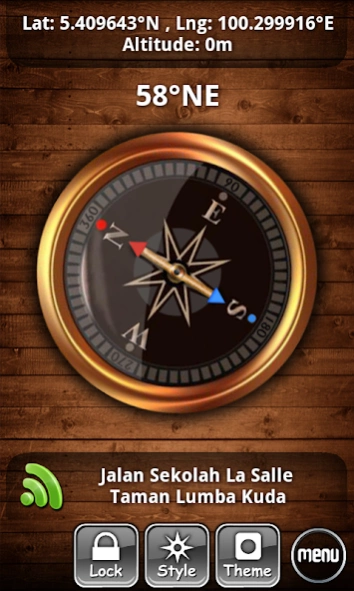
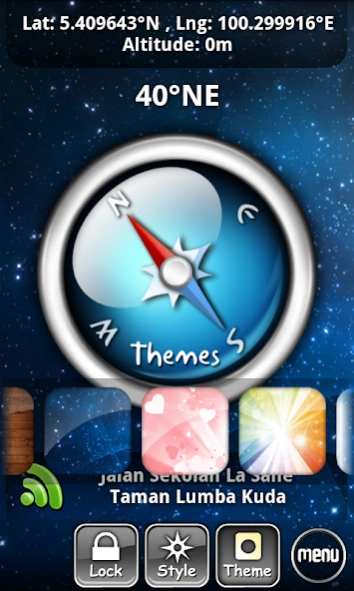
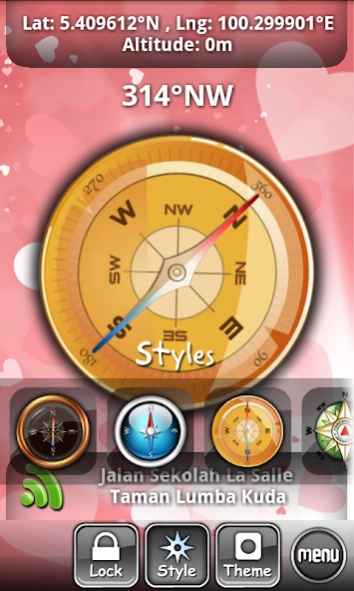
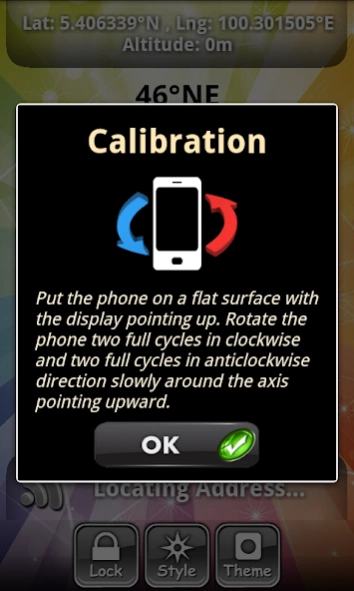
Classic Compass FREE
CLASSIC COMPASS is an useful and user-friendly compass on android. It works in the similar way as the real traditional compass.
Classic Compass performs direction measurement by using the built-in orientation sensor, acceleration sensor and magnetic sensor. To measure direction, you just need to hold and place the phone horizontally relative to the surface of the earth.
At the same time measure direction, Classic Compass also detects the best network connection(GPS, Wifi or 3G) to retrieve and display the data of your current location, coordinates, altitude and address to helps you accurately measure your current position and steer in the right direction.
Classic Compass comes with high definition graphics and nice user interface design. You can customize your application view with the combination of 5 cool compass design and 6 beautiful themes, as shown in preview.
For more details information about how to use the app, please refer User Guide in this app.
KEY FEATURES:
★ Display location address, latitude, longitude and altitude
★ GPS Location update
★ Detect and use the best network connection automatically (Wifi, 3G, GPS)
★ True north/Magnetic north
★ Lock/Unlock Compass
★ Quick calibration
★ 5 compass design/styles
★ 6 theme/background
★ Customizable coordinate format, sensor rate, text size, text color, unit
★ Menu shortcut button on main screen
★ Keep screen awake
No Notification Ads - we don't use any notification ads.
ACCURACY
The accuracy of compass is highly relies on the device's sensors. Compass accuracy is as good as the orientation sensor, magnetic sensor and acceleration sensor of the device. It may varies on different devices.
Classic Compass is a Free application with more and more features will be added in future. We hope this compass can really help you to measure direction easily and accurately in different situation. If you feel that this app is useful to you, please take a little time to share this app with your friends or write a review on market. Your encouragement will be our motivation to continue improve and develope more free quality apps. If you have any comments, suggestions or questions, please feel free to contact us at potatotree.soft@gmail.com. Thank you!!
About Classic Compass
The company that develops Classic Compass is PotatotreeSoft. The latest version released by its developer is 4.1.
To install Classic Compass on your Android device, just click the green Continue To App button above to start the installation process. The app is listed on our website since 2015-10-09 and was downloaded 0 times. We have already checked if the download link is safe, however for your own protection we recommend that you scan the downloaded app with your antivirus. Your antivirus may detect the Classic Compass as malware as malware if the download link to com.potatotree.classiccompass is broken.
How to install Classic Compass on your Android device:
- Click on the Continue To App button on our website. This will redirect you to Google Play.
- Once the Classic Compass is shown in the Google Play listing of your Android device, you can start its download and installation. Tap on the Install button located below the search bar and to the right of the app icon.
- A pop-up window with the permissions required by Classic Compass will be shown. Click on Accept to continue the process.
- Classic Compass will be downloaded onto your device, displaying a progress. Once the download completes, the installation will start and you'll get a notification after the installation is finished.
Program Details
System requirements
Download information
Pricing
Version History
version 4.1
posted on 2015-10-10
New Update ver4.1
★ User interface improvements
★ Text size adjustments
★ Camera bug fixes
New Update ver4.0
★ Graphics Improvement
★ Bug fixes
New Update ver3.1
★ Minor UI improvement
New Update ver3.0
★ Add menu shortcut button and dialog
★ Bug fixes
New Update ver2.3
★ Bug fixes
★ Reduce power consumption
★ Support tablets
New Update ver2.1
★ Redesign compass styles
★ Improve graphics
★ Revise User Manual
★ Code optimization
version 2.2
posted on 2013-06-01
Several fixes and updates
Disclaimer
Official Google Play Link
We do not host Classic Compass on our servers. We did not scan it for viruses, adware, spyware or other type of malware. This app is hosted by Google and passed their terms and conditions to be listed there. We recommend caution when installing it.
The Google Play link for Classic Compass is provided to you by apps112.com without any warranties, representations or guarantees of any kind, so access it at your own risk.
If you have questions regarding this particular app contact the publisher directly. For questions about the functionalities of apps112.com contact us.
